
Getting Data From the Wikipedia API Using jQuery
Where would we be without Wikipedia? It’s hard to believe how we survived without this icon of the Internet. A novel idea of being an encyclopedia that anyone can edit, it’s always kinda interesting how you can look up an article about one thing and then end up somewhere completely different as you jump from article to article by clicking through its link-heavy content. But more important than that, Wikipedia is the authoritative mediating source of arbitration in all Internet arguments where the combatants usually don’t have anything other than extremely biased and inflammatory blogs as source material at hand and are too lazy to do their own research using actual respectable academic sources.
I’ve even heard that this spills over into the “real world.” Wikipedia has reported that it sees a huge spike in traffic coming in on mobile devices on Friday and Saturday nights and the underlying cause of this is believed to be attempts to settle disagreements than break out from drunken arguments in bars.
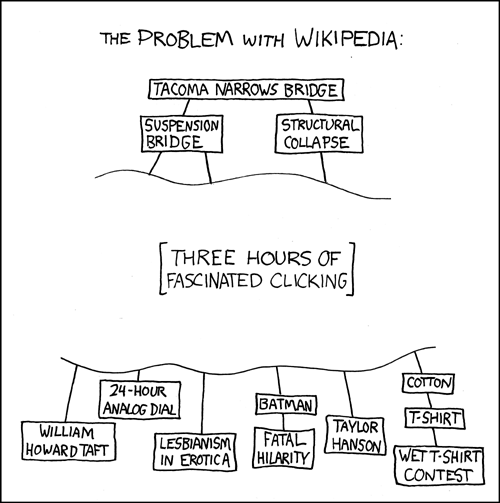
So, all things considered Wikipedia usually has a good base on information just about any subject under the sun. And it got me thinking that a lot of websites and applications could benefit greatly from having an easy way to pull data from Wikipedia and use it to populate content. Fortunately, Wikipedia is built on some software that does provide an API for doing this. I remember seeing the super-slick Google Chrome experiment 100,000 stars put out by the folks at Google used Wikipedia excerpts as a brief description of each star. So I thought I’d look into the process of pulling data from Wikipedia using JavaScript and write it down because I figure someone else would find it useful at some point. Because other wikis are built upon the same foundation as Wikipedia, itself, this is not limited to getting data from Wikipedia alone. You can query other Wikis as well.
So to start, we’re going to need an article on Wikipedia to hit. Let’s use Jimi Hendrix. First we’re going to need to figure out what URL to call. I actually decided to use jQuery just because it’s a bit easier to parse through the returned data, but all of this could be done in native JavaScript if you wanted. So we’ll be making use of jQuery’s ajax method to make our asynchronous call.
So according to the API, the way that we call our Wiki API, is by using an endpoint like the following…
http://en.wikipedia.org/w/api.php?format=json&action=query&titles=Main%20Page&prop=revisions&rvprop=content
This is just one example. The API reference lists all of the possible actions. Reading through the docs, we can see that we’re probably going to want to specify JSON as the returned format. I chose the parse action and prop=text because I want to get the text out of the page. If we do this, rather than pulling down the entire page of text, let’s just say we want to get the top section (or blurb of Wikipedia data). To do this, we specify section=0. If you omit the “section” parameter, the entire page of data will be pulled down. It’s probably outside the scope of this article to go into a detailed explanation of what each of these actions do specifically, so if all of this seems a little overwhelming and it feels like we’re moving too fast, take a look through the API documentation to get a more detailed description of what each of these components do.
So we know at the very least we’re going to need something like what is below…
$(document).ready(function(){
    $.ajax({
        type: "GET",
        url: "http://en.wikipedia.org/w/api.php?action=parse&format=json&prop=text§ion=0&page=Jimi_Hendrix",
        contentType: "application/json; charset=utf-8",
        async: false,
        dataType: "json",
        success: function (data, textStatus, jqXHR) {
            console.log(data);
        },
        error: function (errorMessage) {
        }
    });
});
If we try to make this call, nothing happens. This is because we are being blocked by the Same-origin policy. Just simple JSON is not going to suffice, so we’re going to need to trigger JSONP (JSON with Padding) by adding in a callback parameter callback=?.
Now, our AJAX call looks like the following…
$(document).ready(function(){
    $.ajax({
        type: "GET",
        url: "http://en.wikipedia.org/w/api.php?action=parse&format=json&prop=text§ion=0&page=Jimi_Hendrix&callback=?",
        contentType: "application/json; charset=utf-8",
        async: false,
        dataType: "json",
        success: function (data, textStatus, jqXHR) {
            console.log(data);
        },
        error: function (errorMessage) {
        }
    });
});
If we look in our console now, we can see we have data from Wikipedia! Wow! If we take a look at this object we can see that the part we are interested in is shown below.
{
    warnings: { ... },
    parse: {
        text:{
            *:{
                 "<div class="dablink">This article..."
             }
        }
    }
}
Those maybe are not the key/value pairs I would have chosen but oh well. This means that to get the markup that we need out of the object, we just have find the key. And if we add a div to our page with an id, e.g. <div id=”article”></div>, we can dump the markup into this div like so…
$(document).ready(function(){
    $.ajax({
        type: "GET",
        url: "http://en.wikipedia.org/w/api.php?action=parse&format=json&prop=text§ion=0&page=Jimi_Hendrix&callback=?",
        contentType: "application/json; charset=utf-8",
        async: false,
        dataType: "json",
        success: function (data, textStatus, jqXHR) {
            var markup = data.parse.text["*"];
            var blurb = $('<div></div>').html(markup);
            $('#article').html($(blurb).find('p'));
        },
        error: function (errorMessage) {
        }
    });
});
Note that there are a few other issues with our returned data (like warnings and links not working) so I’ve added a few extra items below to clean things up a bit…
$(document).ready(function(){
    $.ajax({
        type: "GET",
        url: "http://en.wikipedia.org/w/api.php?action=parse&format=json&prop=text§ion=0&page=Jimi_Hendrix&callback=?",
        contentType: "application/json; charset=utf-8",
        async: false,
        dataType: "json",
        success: function (data, textStatus, jqXHR) {
            var markup = data.parse.text["*"];
            var blurb = $('<div></div>').html(markup);
            // remove links as they will not work
            blurb.find('a').each(function() { $(this).replaceWith($(this).html()); });
            // remove any references
            blurb.find('sup').remove();
            // remove cite error
            blurb.find('.mw-ext-cite-error').remove();
            $('#article').html($(blurb).find('p'));
        },
        error: function (errorMessage) {
        }
    });
});
You can see the demo below. I have also wrapped this into a jQuery plugin called Wikiblurb.js that you can find on GitHub. The plugin has more options than our simple example here to make the portions of your wiki that you’re grabbing much more customizable.
View Demo




//working links
blurb.find('a').each(function() {
var wikiAttr = $(this).attr('href');
var hash = "#";
var www ="www";
if(wikiAttr.indexOf(hash) === -1 && wikiAttr.indexOf(www) === -1){
$(this).attr('href', 'https://de.wikipedia.org' + wikiAttr).attr('title', 'https://de.wikipedia.org' + wikiAttr).attr('target', '_blank').addClass('myWikiLink');
}
if($(this).hasClass('external')){
$(this).attr('title', wikiAttr).attr('target', '_blank');
}
});
regards theo p.s.:you may have to alter css and inspect the wiki dom