As the web development world becomes more and more asynchronous with the emergence of technology stacks like Node.js, REST APIs, and some of the features we see in ECMAScript 6 (the latest version of JavaScript), there are whole new dimensions involved with how we exchange data over the web and how we code for this. One of the challenges with asynchronous programming is that there might be some additional considerations regarding the specific time that certain parts of your code executes and/or the order in which data is coming in to your callback functions that you set up to execute when your processes are complete. If things happen when you don’t expect them or in a different order than you expect them if you’re not ready to handle this, you’re going to get some undesirable results.

What is an example of this? What if, say, I had to do something this?
for(var i=1; i < 6; i++) {
    asyncFunction(function(data){
        console.log('The index is ' + i);
        console.log('The data is ' + data);
    });
}
Here I have set up a callback that will execute when our hypothetical asynchronous process is complete, but I also want to have access to the value of the index in the callback. If I had a list of items and I wanted to do an async process on each of the items in my list, this is some information that I would want.
If were to run this we might see something like the following in our console…
The index is 5
{ data: "item2" }
The index is 5
{ data: "item1" }
The index is 5
{ data: "item3" }
The index is 5
{ data: "item5" }
The index is 5
{ data: "item4" }
Hmm, that doesn’t look right. Why is this happening? Well, it’s because as far has JavaScript is concerned the asynchronous process that we run is done executing and JavaScript moves back up to the top of the loop and continues on. Thus, the value of the index in our loop rockets to 5 before any data comes back. What’s more, the data that we are getting back is coming in at different times in no particular order.
If we wanted to do things in a particular order, this state of things might be difficult. We might end up having to do some sorting after we get our data back for each item and we really do not have any idea when we are actually done (apart from maybe keeping a count of the response we get from our async process). This is a cumbersome and non-performant way of doing things. What we need is a way to maintain the context of the index of our loop in our callback function(s) so that we are able to keep some semblance of order as we do these async processes. How can we accomplish this?
Read More »
AJAX,
web developmentWhen the web moved from HTML4 to HTML5, the rise of AJAX based web applications came along with it. AJAX (which stands for Asynchronous JavaScript and XML) can mean a number of things but in practice it often refers primarily to the client/server interaction where JavaScript can be used to communicate with a server by making calls at various times under various conditions to send and receive data. This can be happening as often as you like in real-time without the user having to navigate to another webpage or refresh their browser (i.e. asynchronously).

What is an example of this? Well, say I wanted to put a stock ticker on my webpage or in my web application. I could use JavaScript to make a call to a service like some stock-market API that will give me quotes on a particular stock, get the data back, and display it in the UI in a visually appealing manner. As these market prices update over time, I can periodically update the quotes that I’m displaying on the page. The format that the server returns data in really depends on the service you are calling. It can often be be XML (as the X in AJAX suggests) but another popular format is JSON. I actually like JSON a bit better, myself. The experience of parsing through everything in code just seems a bit cleaner so if there is the option to have the data you are trying to get returned to you in JSON, I’ll usually opt for that.
Because JavaScript is such a universally cross-platform language capable of running on so many different devices in different environments, this can be a great way for different applications to communicate with each other. The result, hopefully, is to give your users the best experience possible whether they are on desktop, mobile, tablet, or some other crazy device.
In the early part of the 21st century, something else that was and has been absolutely ubiquitous across the internet is WordPress. From it’s humble beginnings of being exclusively web-based blog software, it has transformed into essentially the most popular content management system (CMS) used for running small and medium sized websites or web applications.
In what follows, we can look at how we can undertake merging these 2 things together. We’re basically going to look at how we can send and receive JSON data to a WordPress database and read from and write to the tables within WordPress using AJAX.
Read More »
AJAX,
JavaScript,
jQuery,
WordPress,
WordPress pluginsWhere would we be without Wikipedia? It’s hard to believe how we survived without this icon of the Internet. A novel idea of being an encyclopedia that anyone can edit, it’s always kinda interesting how you can look up an article about one thing and then end up somewhere completely different as you jump from article to article by clicking through its link-heavy content. But more important than that, Wikipedia is the authoritative mediating source of arbitration in all Internet arguments where the combatants usually don’t have anything other than extremely biased and inflammatory blogs as source material at hand and are too lazy to do their own research using actual respectable academic sources.
I’ve even heard that this spills over into the “real world.” Wikipedia has reported that it sees a huge spike in traffic coming in on mobile devices on Friday and Saturday nights and the underlying cause of this is believed to be attempts to settle disagreements than break out from drunken arguments in bars.
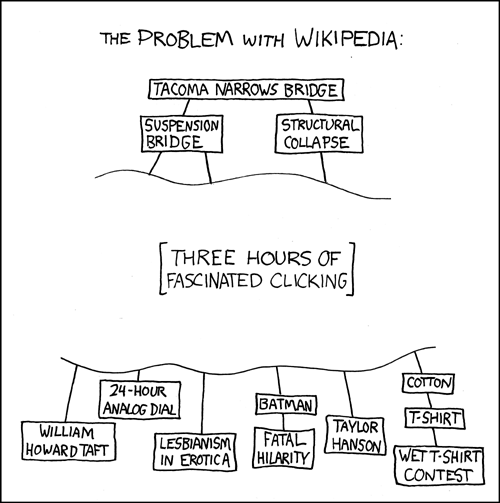
So, all things considered Wikipedia usually has a good base on information just about any subject under the sun. And it got me thinking that a lot of websites and applications could benefit greatly from having an easy way to pull data from Wikipedia and use it to populate content. Fortunately, Wikipedia is built on some software that does provide an API for doing this. I remember seeing the super-slick Google Chrome experiment 100,000 stars put out by the folks at Google used Wikipedia excerpts as a brief description of each star. So I thought I’d look into the process of pulling data from Wikipedia using JavaScript and write it down because I figure someone else would find it useful at some point. Because other wikis are built upon the same foundation as Wikipedia, itself, this is not limited to getting data from Wikipedia alone. You can query other Wikis as well.
Read More »
AJAX,
API,
JavaScript,
jQueryThis post will show you how to do some simple infinite scrolling for WordPress — or really, with a few small tweaks, any other system for that matter. A lot of times on websites when you have multiple pages of results you will see pagination at the bottom of the page with page 1,2,3 etc. and there will often be first, next, previous and last links in there as well. WordPress does this when blog posts, search results, comments and a number of other sets of results in a WordPress site are broken up into different pages. A lot of WordPress themes will show only the “Previous Posts “and “Next Posts” links by default (referred to as “paging”) but some themes will extend functionality beyond this to full on pagination.
Not all users are super exited about having to click links continuously to go to the next page of results. What infinite scrolling does is get the content found on those pages and append it to the current page so the user never has to click on the pagination links… making for a really nice user experience. You may have seen it on other websites you have visited. This tutorial will show you how to implement it in your own WordPress site.
99% of all WordPress themes’ index.php file has a call to get_header(), get_sidebar() and get_footer() (so I’m kinda assuming yours does as well). In your WordPress theme’s index.php file place the following code right before your call to get_footer();
<div class="xhrStatus"></div>
<script type="text/javascript">
jQuery(document).ready(function($){
var currentPage = 2;
var containerItemSelector = "#main";
var postItemSelector = "article";
$(window).scroll(function() {
  if($(window).scrollTop() + $(window).height() == $(document).height()) {
    $.ajax({
      type: "GET",
      url: "<?php echo $_SERVER["REQUEST_URI"] ?>?paged=" + currentPage,
      data: "",
      success: function(results) {
        var item = $(containerItemSelector + " > " postItemSelector, results);
        item.each(function() {
          $(containerItemSelector).append($(this));
        });
       currentPage++;
      },
      error: function(results) {
        if(results.status == 404) {
          $(".xhrStatus").html('No more posts to show...');
        }
        else {
          $(".xhrStatus").html('Error retriving posts...');
        }
      }
    });
  }
});
});
</script>
Now, there are a couple of variables that you’ll probably have to change to get infinite scrolling working properly on your site. These are the “containerItemSelector” and the “postItemSelector” variables. You can find them somewhere near the top of the above block of code. These variables tell the infinite scrolling code which container HTML DOM Element to put the next pages of posts in and giving it a wrapper for each post.
Let’s take a look at a very simple sample index.php file to illustrate what is being talked about here…
<?php get_header(); ?>
<div class="blog">
<?php if ( have_posts() ) : while ( have_posts() ) : the_post(); ?>
   <div class="postContent">
      <h2><a href="<?php the_permalink() ?>"><?php the_title(); ?></a></h2>
      <?php the_content(); ?>
  </div>
  <?php endwhile; ?>
  <?php else: ?>
  <div class="postContent">
    <h2>Not found</h2>
    <p>Sorry, no posts were found</p>
  </div>
<?php endif; ?>
</div>
<?php get_sidebar(); ?>
<?php get_footer(); ?>
So in the instance above, the div with the class “blog” is the wrapper element that we will be adding new posts to and each of those items are contained within a div with a class “postContent”. So we’d want to change our variables to the following…
var containerItemSelector = ".blog";
var postItemSelector = ".postContent";
So the entirety of the code of index.php would look like the following…
<?php get_header(); ?>
<div class="blog">
<?php if ( have_posts() ) : while ( have_posts() ) : the_post(); ?>
   <div class="postContent">
      <h2><a href="<?php the_permalink() ?>"><?php the_title(); ?></a></h2>
      <?php the_content(); ?>
  </div>
  <?php endwhile; ?>
  <?php else: ?>
  <div class="postContent">
    <h2>Not found</h2>
    <p>Sorry, no posts were found</p>
  </div>
<?php endif; ?>
</div>
<?php get_sidebar(); ?>
<div class="xhrStatus"></div>
<script type="text/javascript">
jQuery(document).ready(function($){
var currentPage = 2;
var containerItemSelector = ".blog";
var postItemSelector = ".postContent";
$(window).scroll(function() {
  if($(window).scrollTop() + $(window).height() == $(document).height()) {
    $.ajax({
      type: "GET",
      url: "<?php echo $_SERVER["REQUEST_URI"] ?>?paged=" + currentPage,
      data: "",
      success: function(results) {
        var item = $(containerItemSelector + " > " postItemSelector, results);
        item.each(function() {
          $(containerItemSelector).append($(this));
        });
       currentPage++;
      },
      error: function(results) {
        if(results.status == 404) {
          $(".xhrStatus").html('No more posts to show...');
        }
        else {
          $(".xhrStatus").html('Error retrieving posts...');
        }
      }
    });
  }
});
});
</script>
<?php get_footer(); ?>
What the code above does is execute an AJAX call to do a “GET” on the next page of results when the user has scrolled to the bottom of the page. The URL that we are getting the results from is represented by the “url” property in the $.ajax block of code. The PHP variable of this property will get the current URL and will get ?paged=[value of the currentPage variable] appended to the end of it. The value of the currentPage variable will start at 2 (since we are already on page 1) and will be incremented every time we do a successful GET of results.
This URL is WordPress’ structure for breaking up content into different pages. If you wanted to add infinite scrolling to a site being run on another system you could use a similar technique, but you’d just have to provide the proper URL for how that system divided things up into pagination.
Note too that we have also added an extra <div> with a class of “xhrStatus” right above the start of our <script> block. We are going to use this div to provide messaging if an error occurs in trying to get the next page of results. If we have reached the end of the results and there are no more posts to show, the server will return a 404 error.
If you wanted to, you could change the HTML element where this message gets displayed. You’d simply have to edit the selector value in jQuery where the message gets outputted to the one that you want.
If you wanted to implement infinite scrolling on different pages (e.g. a page template with custom post type results), you could simply add the above code to that page as well and make any necessary modifications.
Happy scrolling!
AJAX,
jQuery,
pagination,
PHP,
web development,
WordPress